-
 High-Def Digest and Dolby Are Giving Away 5 Copies of 'Dexter: The Complete Fourth Season' on Blu-ray!![teaser]High-Def Digest and Dolby are giving away four more copies of the highly-anticipated, Emmy-nominated 'Dexter: the Complete Fourth Season' on Blu-ray featuring Dolby® TrueHD 5.1 surround (24-bit/96 kHz)![/teaser] Five lucky High-Def Digest readers will be chosen at random to win this prize from Dolby. To enter, go to the High-Def Digest Facebook page and comment on the daily post to enter the giveaway. Complete rules can be found here. Check out the HDD Facebook page and enter to win now! In all, we're giving away five copies of this fantastic season to give away, so check back and enter each day this week!Posted Mon Aug 9, 2010 at 11:45 AM PDT by:
 -
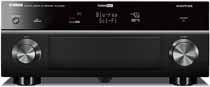 Yamaha Launches the AVENTAGE Line of Receivers[teaser]It's a fully redesigned line, promising the best quality possible, and marking the debut of a new video processor. [/teaser] What is it with electronics companies and weird misspellings of words? Is there some crazy reason Yamaha's new receivers can't be the Advantage line? Aside from the name, the AVENTAGE line looks pretty slick. One thing Yamaha makes an effort to point out is that this isn't the next generation of receivers. This is current technology reworked from the start. The receivers have plenty of improvements, many of which won't be instantly noticeable. They've got new wires, fuses, circuitry, volume levels and even a fifth foot for further stabilization. The two most expensive receivers in the line get the added bonus of HQV "Vida" video processing. It's the first line of receivers to sport "Vida," which promises exceptional video performance. You'll be able to find Yamaha's new line starting this month at prices from $649 on up to $1,889. Source: eCousticsPosted Mon Aug 9, 2010 at 11:00 AM PDT by:
 -
 3D Blu-ray Media Servers From Mozaex[teaser]If you want to watch 3D Blu-rays from anywhere in your home, Mozaex has got the hookup. It's a $4,795 hookup, but it's quite possibly the only solution of its kind. [/teaser] You can get the new Mozaex Solo system in one of three styles – two of which are traditional looking players and the third of which is a rack mount unit. Regardless of the version, all have support for 7.1 LPCM audio and bitstreaming of Dolby TrueHD and Dolby DTS HD Master Audio. In addition to the system itself, you'll need a Mozaex player in each room above three that you'd like to watch your movies in. Those come in at $3,495. You'll also need the obvious things, like a 3D capable television and 3D glasses. It's a cool setup, that's to be sure, and it's compatible with a huge range of 3rd party control. It just comes down to how much you're willing to spend. Source: eCousticsPosted Mon Aug 9, 2010 at 09:00 AM PDT by:
 -
 Pioneer Launches New SACD Players and Amps[teaser]The new Elite products cater directly to audiophiles. [/teaser] While the rest of the world is dealing with low-quality compressed audio and cheap earbud headphones, you're cranking out pristine audio from your CD and SACDs. You're a guy who cares about his audio, and you're the target of Pioneer's new Elite G-Clef line. Both players – the PD-D6MK2 and PD-D9MK2 – consist of the same basic components, but the higher end model gets everything kicked up a notch. The D9MK2 has an isolated power supply, for example, a stainless steel CD mechanism and Wolfson DACs instead of Burr-Brown. The SX-A6MK2 and SX-A9MK2 amplifiers are made to match the players. As you might imagine, the A9MK2 carries a few added benefits. It's got a motorized volume control, USB input, headphone and preamp outs, and a honeycomb chassis. You'll be able to pick up the full G-Clef line later this month. Source: Players, AmpsPosted Mon Aug 9, 2010 at 07:00 AM PDT by:
 -
 HD Advisor 69, Dudes!Editor's Note: Each Friday, High-Def Digest's own HD Advisor will answer a new round of questions from our readers. If you have home theater questions you need answered, send an email to [email protected]. If you've already sent a question and don't see it answered yet, please be patient as we work our way through them. To browse through previously answered questions, visit the main HD Advisor page. Answers by Joshua Zyber Blu-ray Volume Issues Q: Both by parents and my sister have Sony Blu-ray players, but different models. My sister has the BDP-S360. I'm not sure about my parents. Both players are hooked directly to the TV with HDMI cables. The issue that both of them are having is when they switch over from watching TV to Blu-ray they have to crank the volume nearly all the way up to max on the TV just to hear the Blu-ray movie they are watching. When they finish, they have to crank the volume all the way back down before switching back over. Is there a setting they are missing in the Audio portion of the Blu-ray player that is causing this? I would think when you switch over from TV to Blu-ray and vice versa the volume would be consistent. A: What you describe actually isn't unexpected. The lossless soundtracks on most Blu-ray discs have much greater dynamic range than TV shows or movies (even when watching the same movies) broadcast on television. This dynamic range is defined as the difference between the lowest low to the highest high. In other words, there should be a huge difference in volume between whispered dialogue and huge explosions in a movie soundtrack. In order to accommodate this dynamic range, Blu-ray soundtracks are generally authored at a low default volume. (Normal speaking dialogue in the soundtrack is considered the median baseline.) This gives them some headroom so that the really loud sounds (like explosions) don't clip or distort. If the soundtrack were authored with too high a median volume, those loud sounds might hit the audio ceiling and cause distortion. Programs broadcast on television do not have quite as wide a dynamic range. When movies are aired on TV, they're usually run through a Dynamic Range Compression filter, which will raise the low sounds and lower the highs, pushing everything closer together towards the middle. This often gives the perception that the entire soundtrack is louder, because the portion of the soundtrack with where your baseline for volume is set (the dialogue) is higher, and is much closer to the "loud" sounds in the mix. As for what your family can do about this, I would suggest that they check the Audio section of the Blu-ray player setup menus to see if those models offer Dynamic Range Compression (sometimes called "Night Mode"). While viewers with full-blown surround sound systems that can handle lossless audio would not want to engage Dynamic Range Compression, it might be beneficial to someone listening through limited-range TV speakers. "Sharpness" vs. Detail Q: How much of a difference in sharpness is there when viewing a 1080p image on a 1080p 32" TV, as opposed to viewing the same 1080p image on a 1080p 58" TV? I would think the 32" set has the advantage because it is smaller and these 1080 lines of resolution are closer together. Is this a correct way of thinking? A: When it comes to high definition video, "sharpness" is something of a misnomer, and is arguably an outdated standard to judge a picture by. What you should be looking for in a high-def picture is detail. When you see a close-up of an actor's face, how well resolved are the pores on his skin, or the individual hairs on his head or in his beard? Can you make out the thread pattern and texture of the fabric of the clothes he's wearing? Depending on a number of factors such as the way the movie was photographed, perhaps you won't be able to see those specific details. It may even be that you're not supposed to see them. (For example, it's common for vain actors and actresses to be photographed with soft focus in order to hide things like skin pores and wrinkles.) Nonetheless, these are examples of the types of fine object detail that high definition is capable of resolving far better than standard definition. Detail is not necessarily the same thing as "sharpness." From a technical standpoint, one 1080p HDTV has the exact same pixel resolution as any other 1080p HDTV, and is capable of displaying the same amount of detail. Regardless of screen size, a large screen and a small screen of the same 1080p resolution will render the exact same 1920x1080 pixels of content. However, as you mention, the smaller screen may leave the impression of having a sharper picture than the larger screen, because the same amount of detail is crammed together more tightly into a smaller area. But this is really a false sense of sharpness. The actual detail is the same. Further, beyond a certain point, the human eye may not be capable of seeing all of that 1080p detail on a small screen. It's generally suggested that there's little to no visible difference between 720p and 1080p at screen sizes around 30" or less. The larger the screen, the more discerning your eyes will be, and the more able you'll be to pick out all of that 1080p detail. Yes, it's true that if you go with too large a screen, your image quality will seem to degrade. The pixels will become so spread apart that the picture may seem perceptibly "soft," and you may notice the pixel structure itself (which is not desirable). But it takes a really large picture to make that happen with Blu-ray. Most high-end home theater viewers report that 1080p Blu-ray picture quality holds up quite nicely when projected at 100". So, you should have no problems at all with a 58" HDTV. Homework Assignment: You Be the Advisor The HD Advisor knows many things, but he doesn't know everything. Some questions are best answered with a consensus of opinions from our readers. If you can help to answer the following question, please post your response in our forum thread linked at the end of this article. Your advice and opinions matter too! Blu-ray Laptop Recommendations Q: I need a new laptop and I need to buy it soon. I want one with a Blu-ray drive, but I have no idea what specs are good these days for processing power and whatnot. What should I look for? What brands give the best value? JZ: I see that we asked this question in the Homework a little over a year ago. But things move so quickly in the computer world that I have a feeling a lot of that information may already be outdated. I think it's worth posing the question to our expert readers again. Check back soon for another round of answers. Keep those questions coming. Joshua Zyber's opinions are his own and do not necessarily reflect those of this site, its owners or employees.Posted Fri Aug 6, 2010 at 11:00 AM PDT by:
 -
 Sonic Solutions Teams with Wildvine for iPhone, Android, and Blackberry Movie Distribution[teaser]RoxioNow is coming to mobile devices this holiday season. [/teaser] Sonic Solutions is absolutely dominant in the online video rental field. They're the guys that host VOD services for Best Buy, Sears, Walmart, Blockbuster, Lionsgate and others. They're also the guys bringing the VOD experience to mobile phones this holiday season. "By teaming with Widevine," says VP Mark Ely, "we are able to seamlessly overcome the technical hurdles of digital rights management and platform optimization behind the scenes, enabling our partners to deliver a compelling, hassle-free movie experience to their customers." Thanks to the new arrangement, Sonic's video services will be hitting Blackberries, Androids and iPhones this holiday season. The rollout is all up to Sonic's partners though, so you may not see them all at once. PR NewswirePosted Fri Aug 6, 2010 at 10:00 AM PDT by:
 -
 Apricorn Announces New Fanless DVR Expanders[teaser]Ramp up the capacity of your DVR with some very cool looking external drives built for the purpose. [/teaser] Apricorn – it's up to you whether this is Capricorn without a C or some sort of wonderful mix of apricot and unicorn – has just announced a line of new DVR extenders built to kick up your storage space by a notch or two. They're compatible with a variety of DVRs and are nice and easy to set up. You can connect them via eSATA or USB, and no matter the size they come in they simply need to be plugged in. Make the connection, reset your DVR and follow the on-screen prompts. Apricorn's new expanders are cool looking too, which is important. They come in a black aluminum case that's fan free and virtually silent. You can pick up drives as small as 500GB for $99, while a 2TB drive will run you $249. Source: eCousticsPosted Fri Aug 6, 2010 at 09:00 AM PDT by:
 -
 Phase Technology Announces a New Wireless Sub[teaser]It comes in sizes of 8, 10 and 12 inches and is available now. [/teaser] There's just something great about a wireless sub. Whether you're unable to better conceal the wires, or you simply don't feel like doing it, going wireless is a nice option. The latest from Phase Technology is the PC SUB WL. It features a built-in receiver, so there's nothing to attach to the sub aside from the power cable. All you need to attach to your system is a small transmitter that sits on the subwoofer output. You can pick the PC SUB WL up now in 8, 10 or 12 inch sizes. Each of them uses a downward firing active woofer and a forward firing passive radiator that provide 2.5 inches of peak to peak motion. Prices have not been disclosed. eCousticsPosted Fri Aug 6, 2010 at 06:00 AM PDT by:
 -
 Samsung DLPs Go 3D Thanks to Mitsubishi and True3D[teaser]There's no official 3D solution for Samsung DLPs yet, but that's nothing a bit of clever hacking won't solve. [/teaser] Samsung sure loves its LED backlit displays, LCDs and plasmas. There's plenty of love going around for 3D too, but somehow the poor DLPs are getting left in the lurch. While Samsung has plenty of 3D DLPs, there's no way to make them work with current technology. That's where a company called Tru3D comes in. Since Samsung's DLPs use the same checkerboard format as Mitsubishi's, Tru3D came up with a brilliant way to get 3D to you. Instead of creating a new piece of hardware from scratch, Tru3D created a "spoofer" – a device that makes Mitsubishi's 3DA-1 adapter think Samsung TVs are Mitsubishi. The result is 3D on your Samsung DLP. It makes the set compatible with 3D Blu-rays and 3D signals sent over cable and satellite, instead of just working with 3D signals sent from PCs. You can pick up True3D's adapter for $289, though it won't be shipping out until later this month. Source: Tru3DPosted Thu Aug 5, 2010 at 09:00 AM PDT by:
 -
 Sharp Launching a Glasses-Free 3D Smartphone This Year[teaser]The company's looking for a share of the mobile phone market, and they just might get it. [/teaser] A lot of people are still sour on the whole 3D thing, but as soon as you take the glasses out of the equation, feelings tend to get a bit more positive. That's what Sharp's counting on. Sharp is pretty big in the HDTV market, but it's glasses-free 3D that's most interesting on the horizon. The company is, of course, the maker of the screens for Nintendo's upcoming 3DS – a handheld 3D game system with no need for glasses. It seems that Sharp wants to be the first in the handheld glasses-free market though. The company is planning to launch a new cell phone by the end of this year that features the same 3D capabilities. Source: ReutersPosted Thu Aug 5, 2010 at 07:00 AM PDT by: