Come See a Custom 'Middle Earth: Shadow of Mordor' Xbox One Background and Learn How to Make Your Own
It's all too easy.
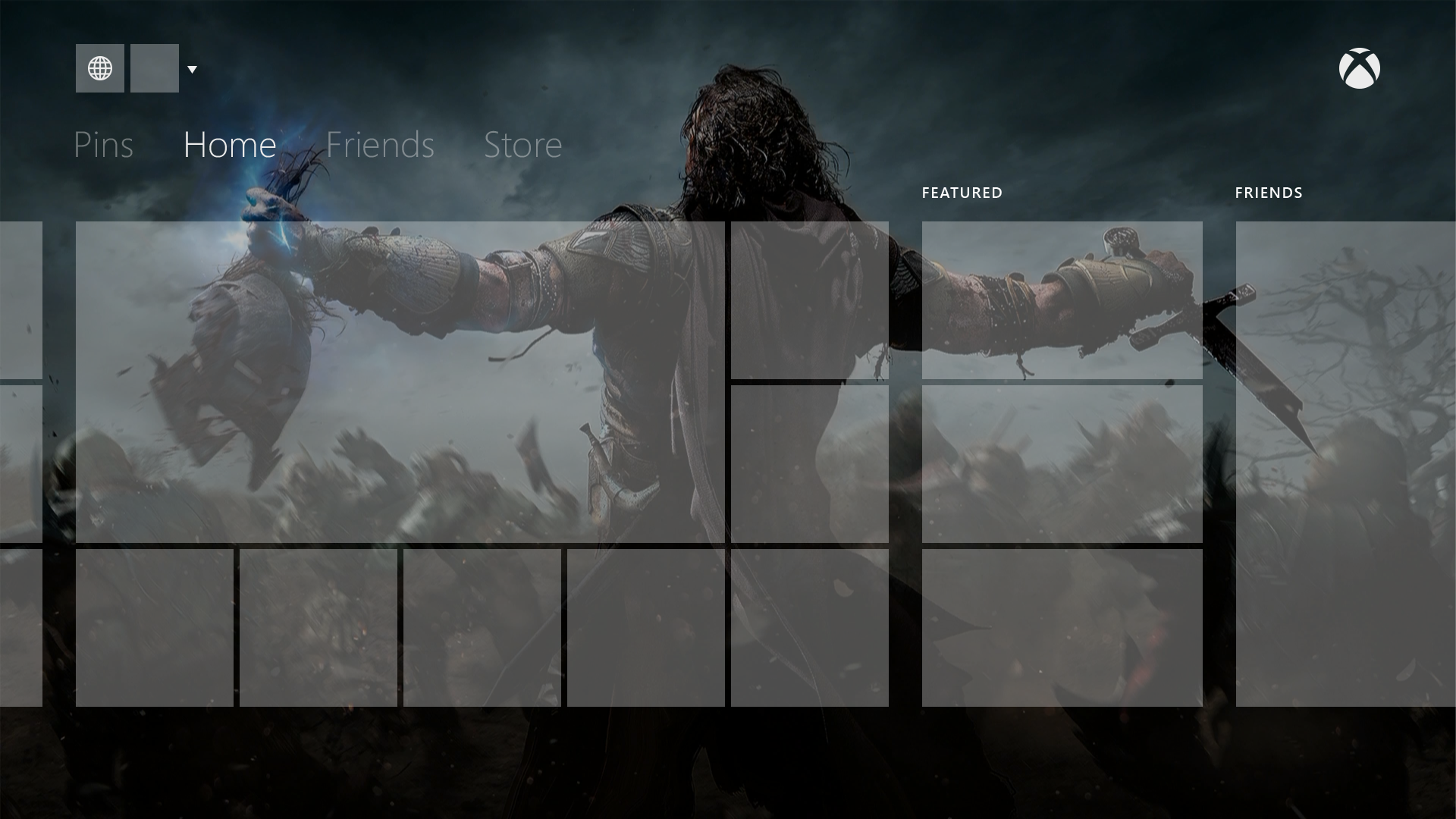
The venerable Major Nelson has shared steps needed to make a custom Xbox One background. The whole process of applying the background runs through the Media Player application, but a background can be made from scratch on most any computer. Those in Preview program can apply backgrounds immediately, while others may have to wait a few weeks. Either way, the best part of the simple steps shared today, is the nice Photoshop template that helps to test against the system's live tile UI.
Here are the steps:
Connect a USB to console / Connect a source through DLNA
Launch Media Player (either directly or through Settings>My Xbox > My background > Custom image)
Navigate to source of your choosing (USB/DLNA)
Navigate to folder/file of your choosing
Select the jpg/png image – see it full screen.
Once you are viewing the image full screen, hit the menu button.
Select "Set as background"
You will be sent back to the full screen view of the image. Hit nexus, see the image on Home.
To help select or create an image that will work best for the background, the Xbox Design Team created handy Photoshop template so you can see what parts of your pic will be blocked by the tiles. Download it here (Adobe Photoshop required to open): https://mjr.mn/XBOBackgrounds
Here's an image ready to be used as a background:

And here's how it looks when loaded into the Photoshop template:
Source: Major Nelson